
Start with the source photograph
Identify the region the patient means before changing the image. Keep lighting and visible surface detail in mind as you discuss their concern.
FaceDecode for Dermatology
During a cosmetic dermatology visit, a patient may point to one patch while asking about the tone of their whole cheek. Use the source photograph and selected digital views to make that discussion specific.
Watch the workflow ↓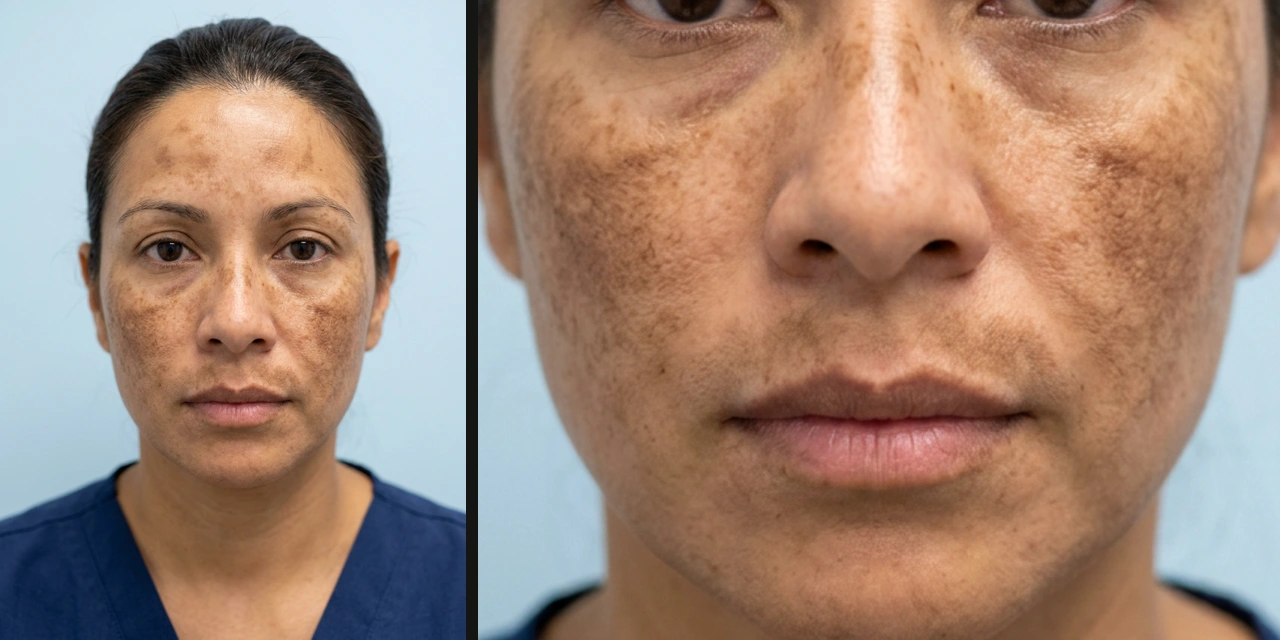
Identify the region the patient means before changing the image. Keep lighting and visible surface detail in mind as you discuss their concern.
Use a pigment-weighted view for apparent tone variation or a redness-weighted view for regional color contrast. Return to the original image to explain what the filter emphasized.
Distinguish observations from the clinician’s assessment in the consultation report. Digital UV-style and polarized views are simulations. Diagnosis requires clinical evaluation.
Tell us whether pigment, redness or texture comes up most often. We’ll demonstrate the relevant views and the report your clinician reviews.